
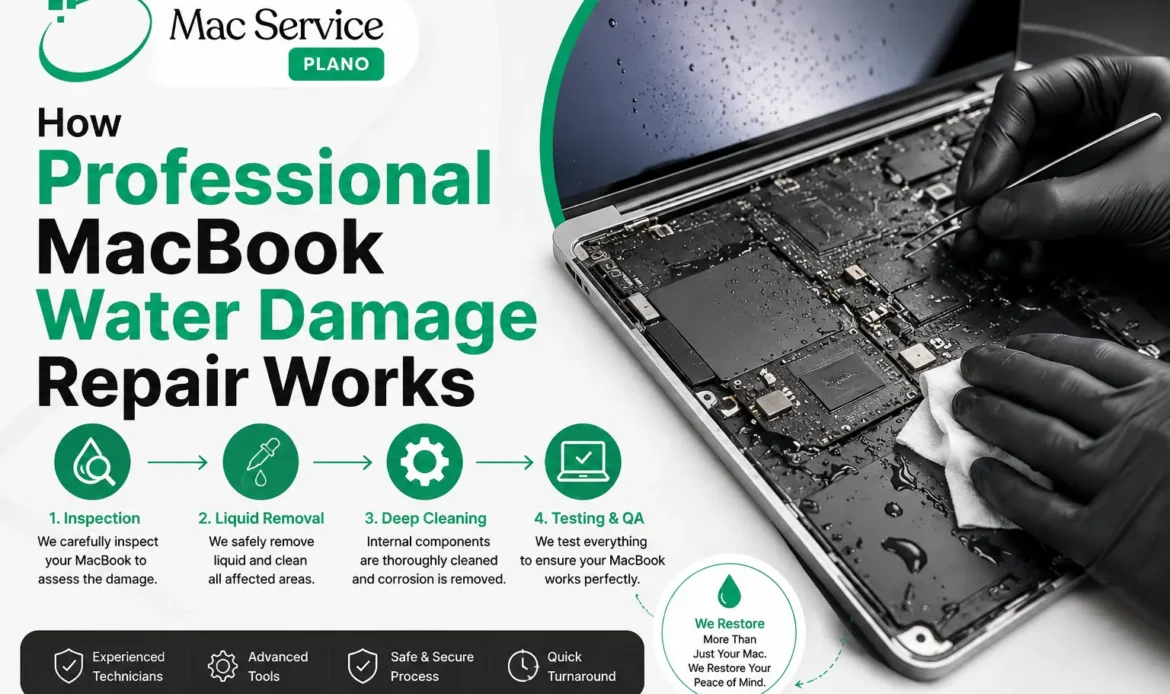
Accidentally spilling water, coffee, juice, or another liquid on your MacBook can be stressful. Even when the laptop appears to work normally after a spill, liquid can reach sensitive internal components and cause corrosion or electrical problems over time.
Professional MacBook water damage repair is more than simply drying the device. A qualified repair technician needs to inspect the MacBook, identify affected components, clean contamination, test the hardware, and determine whether individual parts can be repaired or need replacement.
At Mac Service Plano, our approach focuses on careful diagnostics and appropriate repair rather than immediately recommending a full device replacement.
What Happens During Professional MacBook Water Damage Repair?
Every liquid-damaged MacBook is different. The severity of the damage depends on the type of liquid, the amount spilled, where it entered the device, and whether the MacBook was powered on when the incident occurred.
A professional repair typically involves several important steps.
1. Initial MacBook Inspection
The first step is a detailed inspection of the MacBook.
A technician will typically ask what happened, including:
- What type of liquid was spilled?
- Approximately how much liquid entered the MacBook?
- Where did the spill occur?
- Was the MacBook powered on?
- Did the MacBook shut down afterward?
- Are there currently charging, display, keyboard, or startup problems?
These details help technicians understand the potential damage and determine which areas require closer inspection.
If your MacBook has recently been exposed to liquid, avoid repeatedly turning it on to check whether it works. Applying power to a wet or contaminated circuit can potentially worsen electrical damage.
2. Internal Hardware Inspection
After the initial assessment, the MacBook may need to be opened for internal inspection.
Liquid can travel beneath the keyboard, trackpad, battery area, connectors, and other internal components. In some cases, the visible spill location does not indicate where the liquid ultimately reached.
Technicians inspect areas such as the:
- Logic board
- Battery and battery connector
- Display connections
- Keyboard and trackpad
- USB-C or charging ports
- Internal cables and connectors
- Storage-related components, where applicable
- Other affected circuitry
This inspection helps establish whether the problem is limited to one component or involves broader liquid exposure.
3. Identifying Corrosion and Contamination
One of the major concerns with liquid damage is corrosion.
Water and other liquids can leave behind moisture and residue. Over time, this can affect electrical contacts and circuit-board components. Coffee, soda, juice, and other liquids can be particularly problematic because they may leave conductive or sticky residues after the liquid evaporates.
A MacBook that turns on after a spill is therefore not necessarily free from damage.
Professional technicians look for signs such as oxidation, residue, discoloration, damaged connectors, and corrosion on affected circuitry.
4. Professional Cleaning
If liquid or residue is present, appropriate board-level and component cleaning may be required.
The cleaning process depends on the type and extent of contamination. Technicians use suitable repair procedures and equipment to clean affected areas without unnecessarily damaging delicate components.
The objective is not simply to make the MacBook look dry. The goal is to remove contamination that could contribute to continued electrical problems.
This is one reason professional inspection can be valuable after a significant spill, even when the MacBook initially appears functional.
5. Testing Individual Components
Once affected areas have been inspected and cleaned, technicians can begin testing the MacBook’s hardware.
Depending on the symptoms, testing may include the charging system, keyboard, trackpad, display, ports, battery, speakers, and logic board.
For example, if a MacBook turns on but does not charge after a spill, the technician needs to determine whether the issue is related to the charging port, battery, board-level circuitry, or another affected component.
Accurate diagnosis helps prevent unnecessary part replacement.
6. Repair or Component Replacement
After diagnostics, the technician can explain the available repair options.
Some liquid-damaged components may be recoverable through cleaning or board-level repair. Other components may be too severely damaged and require replacement.
The right solution depends on factors including:
- Extent of liquid exposure
- Type of liquid
- Condition of the logic board
- Damage to individual components
- MacBook model and year
- Availability of replacement parts
- Overall repair cost
A professional repair shop should explain these factors before proceeding with significant work.
7. Comprehensive Testing After Repair
Repairing a visibly damaged component is only part of the process.
The MacBook should be tested after repair to verify that the original problem has been addressed and that other functions remain operational.
Depending on the repair, testing may include:
- Startup and shutdown
- Charging
- Battery operation
- Display
- Keyboard
- Trackpad
- USB-C or other ports
- Wi-Fi and Bluetooth
- Speakers and microphone
- Camera
- External device connectivity
Testing helps identify secondary issues that may not have been obvious during the initial inspection.
Why Professional Repair Matters
Liquid damage can be unpredictable. A MacBook may continue working immediately after a spill and then develop problems days or weeks later because of corrosion or residue.
Trying random fixes or repeatedly powering on a potentially wet MacBook can make diagnosis more difficult and may increase the risk of additional damage.
Professional MacBook water damage repair combines inspection, cleaning, diagnostics, repair, and testing. The goal is to determine what can realistically be recovered instead of assuming that every liquid-damaged MacBook needs complete replacement.
What Should You Do After a MacBook Liquid Spill?
If you accidentally spill liquid on your MacBook, take the situation seriously.
Stop using the device and disconnect power if it is safe to do so. Avoid repeatedly attempting to turn it on, and don’t rely on household drying methods as a substitute for professional inspection.
The sooner a technician can assess significant liquid exposure, the sooner you can understand the actual condition of the MacBook and your repair options.
Get Professional MacBook Water Damage Repair in Plano
Liquid damage does not always mean your MacBook is beyond repair. A proper diagnosis can determine whether the affected hardware can be cleaned, repaired, or replaced.
If your MacBook has suffered water, coffee, juice, or other liquid damage, Mac Service Plano provides professional MacBook repair services focused on careful diagnostics and practical repair solutions.
Don’t wait for corrosion or electrical problems to get worse. Contact Mac Service Plano for a professional MacBook water damage assessment in Plano.